Replacement Remote Guides · August 20, 2026 · 4 min read
How to Find the Right Replacement Remote Control
The safest way to find a replacement remote is to identify the device, collect the original remote details and confirm the match with reliable evidence.
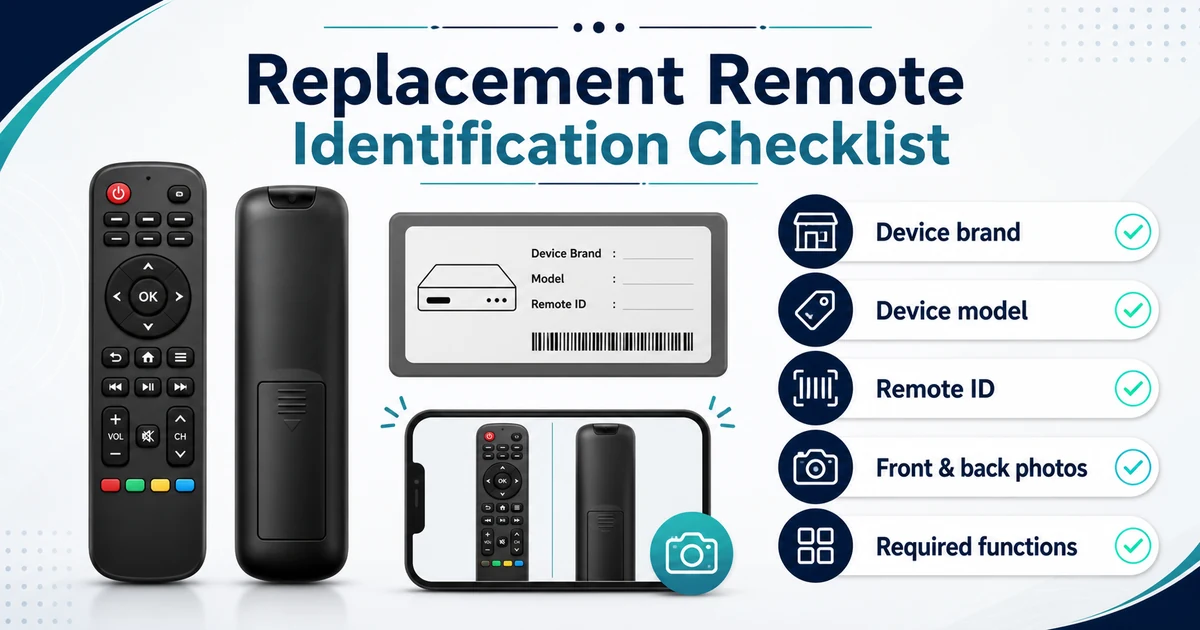
The safest way to look for a replacement remote is to identify the device first, collect any information still visible on the original remote, and then confirm the match through an official support source or supplier. A similar shape or button layout can help narrow the search, but it does not prove compatibility.
Start with the device, not a product photo
Write down the brand and exact model of the TV, projector, air conditioner or other device you need to control. The model may appear on a label on the device, in its settings menu, on the original packaging or in the manual. The location depends on the manufacturer and model.
For example, Samsung and LG publish model-location instructions for their TVs. Logitech’s remote-support guidance also asks users to identify the manufacturer and model number of each device being controlled. These identifiers give you a stronger starting point than a visual search alone.
Be careful not to confuse a model number with a serial number. If you are unsure which identifier is which, photograph the entire label and let the manufacturer or supplier review it.
Collect the identifiers you already have
Device brand and model
Record the complete text, including letters, numbers and regional suffixes. Do not shorten the model because two similar-looking identifiers may refer to different products or markets.
Useful places to check include:
- the rear, side or bottom label on the device;
- the device information or support screen, if the device still works;
- the original manual, packaging or purchase record;
- the manufacturer’s model-specific support page.
Original remote model or part number
If you still have the old remote, photograph its front and back before discarding it. Also inspect the battery compartment if it can be opened safely. Sony documents remote model names on the front of certain remotes or inside the battery-compartment cover. Other manufacturers and models may label remotes differently.
Capture every readable identifier rather than guessing which one is important. A supplier can then compare the remote information with the controlled device’s model and available documentation.
Use official support information where available
Search the manufacturer’s support site using the full device model. Look for the user manual, help guide, parts information or a page describing the supplied remote. Sony’s support process, for example, directs users to a model-specific product page and its Help Guide or operating instructions to find remote information.
An official page may establish which remote was originally supplied with a particular device. It still does not prove that an unrelated replacement listing is equivalent. Treat it as evidence to bring into the comparison.
Record the functions that matter
Before requesting a replacement, list the controls you actually need. Examples might include power, volume, input selection, navigation, number keys or a dedicated menu button. This is a requirements list, not a prediction that a candidate remote supports those functions.
If the old remote is available, take a clear front photo so the full button layout is visible. Note any buttons you use regularly. If the original is missing, describe the tasks the replacement must perform instead of trying to reconstruct unsupported specifications from memory.
Prepare a clear replacement-remote request
The following information gives a manufacturer or supplier a useful starting point:
| Information | What to provide | Why it helps |
|---|---|---|
| Controlled device | Brand and full model; photo of the complete label if possible | Identifies the product that needs to receive the commands |
| Original remote | Model/part identifiers and clear front, back and label photos | Provides evidence about the supplied or previously used controller |
| Required controls | The buttons or tasks that matter to you | Prevents a visual match from being mistaken for a functional review |
| Purchase context | Destination market and, for B2B orders, target quantity | Helps the supplier review availability and commercial requirements |
For a wholesale inquiry, also explain whether you need a single reference sample or a repeatable product for retail, distribution or another sourcing program. Packaging, customization, minimum quantity and availability should be confirmed for the specific inquiry rather than assumed from a general article.
Treat visual similarity as a lead, not proof
Two remotes can look similar without being established as interchangeable. Product photos are useful for narrowing a search and checking whether the requested controls are present, but appearance alone cannot confirm the signal method, command set, pairing behavior or device compatibility.
Use cautious language when reviewing a candidate:
- Identified: the device and old remote information have been collected.
- Possible candidate: a listing or catalog item appears relevant and needs verification.
- Confirmed for the inquiry: the responsible manufacturer or supplier has reviewed the available evidence for the stated device and requirements.
This separation prevents “looks right” from becoming an unsupported compatibility promise.
Browse products or request a sourcing review
You can browse the ReplaceRemote product catalog to find a starting point. If you cannot identify a suitable option, send a sourcing request with the device model, original remote details, clear photos, target quantity and destination.
The information supports a more focused review. Final compatibility, availability and commercial terms still need confirmation for the specific inquiry.
Remote control compatibility depends on the original remote number, television or device model, region and required functions. Confirm these details before placing a wholesale order.